

« Setting Up QuackScript | Help | Changing Your Ident »
Playing MP3s
QuackScript works best with the latest version of Winamp 5, so if you need to download Winamp please visit: http://www.winamp.com.
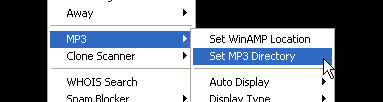
When you first install QS it is set to use the default location of Winamp, if you have installed it somewhere else, use the Set Winamp Location option to locate winamp.exe (do NOT select winampa.exe).
Next you need to choose the directory from which to play your MP3s.
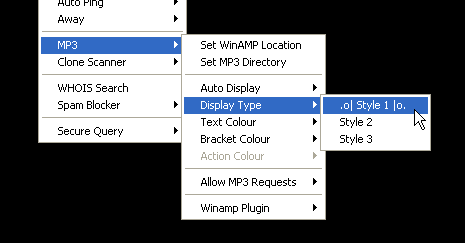
There are a few different options in the lower part of the menu which are dedicated to changing the look of your MP3 display. You can choose from 3 preset displays (defaults to Style 1), and change the colours which they use.
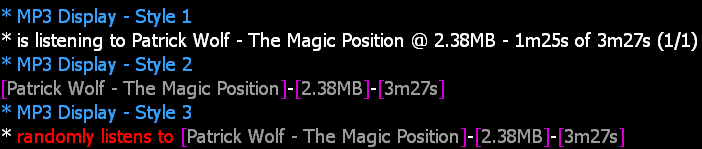
Examples of the MP3 Displays:
To choose a song at random, simply hit F10 on your keyboard and a song should play.
By default, QuackScript will automatically display the songs you're playing. Please be aware that changing songs frequently can flood the channel and be very annoying to other users - it may even get you banned from some channels. You HAVE been warned.
If your auto-display is turned off, to display the current MP3 manually press Shift+F9. It will use whatever Display Type you set in the menu.